Process maps are often created, reviewed and then forgotten.
They appear in discovery workshops, business analysis documents, operating model designs, transformation programs and process improvement projects. They help teams understand how work happens, where handoffs occur, where delays appear and where responsibilities sit.
Then, too often, they become static artefacts.
They are stored in a folder.
They are attached to a project document.
They are shown once in a steering committee.
They are referenced during implementation but rarely become part of the way the organisation designs execution.
AI transformation creates an opportunity to change that.
Process maps can become much more than documentation. They can become the blueprint for AI-enabled workflows, automation, orchestration and agentic execution.
Table of Contents
This matters because AI agents do not create value simply by existing. They create value when they are embedded into clear, governed and adoptable business processes. A process map can show where the agent should act, what data it needs, which decision it supports, where human review is required, how exceptions are handled, which systems are involved and how the outcome is measured.
The question is not only, “Can we deploy an AI agent?”
The better question is, “What process should this agent support, and how should work flow around it?”
That is where process maps become powerful.
They turn AI ambition into operational design.
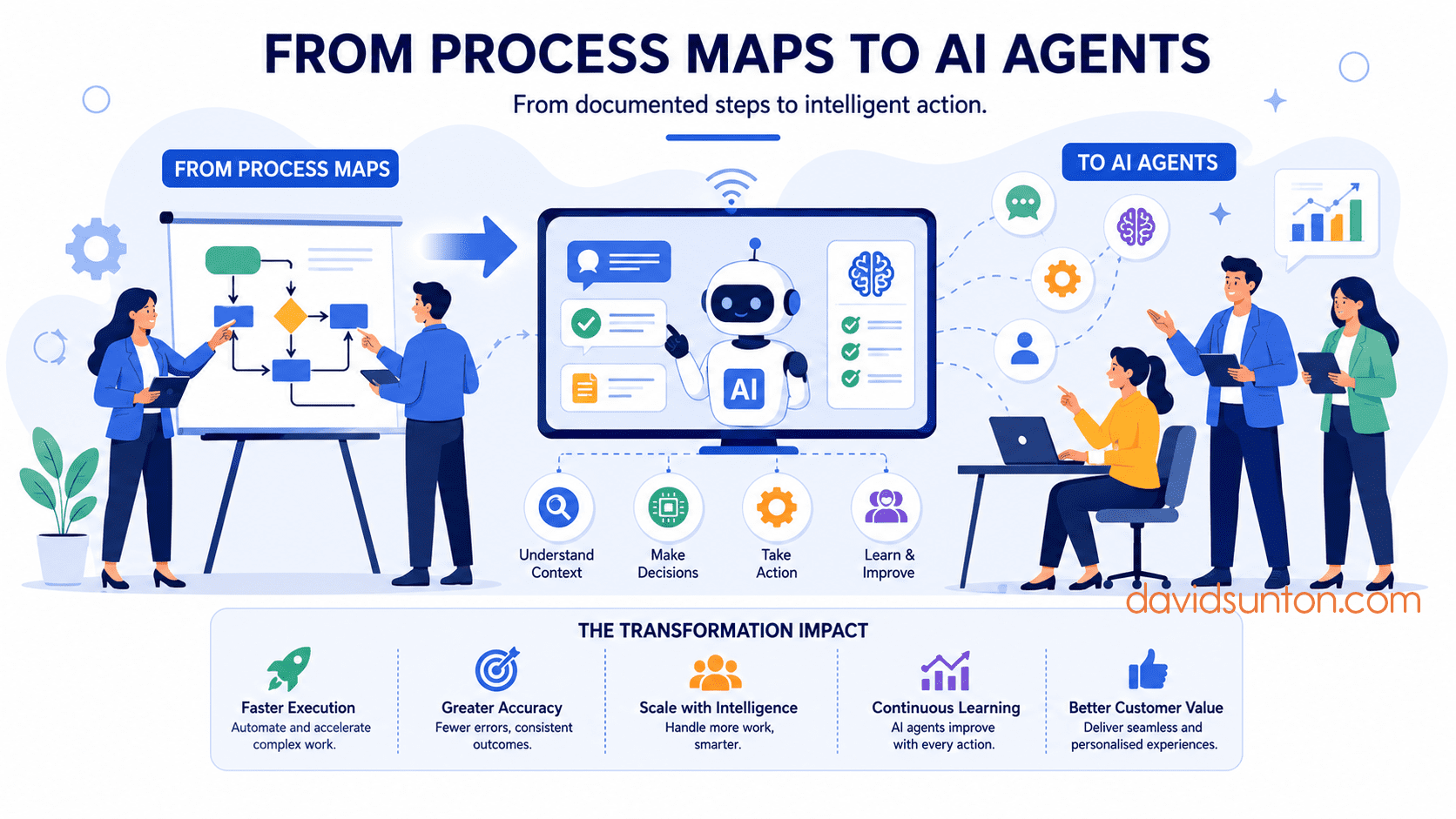
Why Process Maps Matter For AI Agents
AI agents are often described in task-based language.
An agent can answer questions.
An agent can summarise documents.
An agent can classify enquiries.
An agent can update records.
An agent can draft emails.
An agent can route work.
An agent can trigger actions across systems.
These capabilities are useful, but they are incomplete without process context.
In real organisations, tasks sit inside workflows. A summary may support a decision. A classification may trigger routing. A recommendation may require approval. A system update may need auditability. A customer response may need review. An exception may need escalation.
A process map shows this context.
It helps leaders understand the agent’s role in the flow of work rather than treating the agent as a standalone tool.
For example, an AI agent that classifies customer enquiries may appear simple. But the process map can reveal that classification affects priority, routing, service-level commitments, escalation rules, customer communication and reporting. If the classification is wrong, downstream work may be delayed or misdirected.
That means the agent needs more than a classification prompt.
It needs process design.
It needs confidence thresholds, exception handling, human review, system integration and governance.
The process map makes those requirements visible.
From Documentation To Design Asset
A process map becomes valuable for AI transformation when it shifts from being a documentation artefact to a design asset.
A documentation artefact describes how work happens.
A design asset helps teams decide how work should happen.
This shift is important.
If a process map only records the current state, it may show the existing workflow but not the AI opportunity. If it becomes a design asset, it can help leaders identify where AI can assist, where automation is appropriate, where humans should remain accountable and where governance must be embedded.
For AI transformation, a useful process map should help answer:
What starts the workflow?
What tasks are performed?
Where are decisions made?
Where is data used or created?
Which systems are involved?
Where are handoffs?
Where do delays or rework occur?
Where are exceptions common?
Where does human judgement matter?
Where could AI classify, summarise, retrieve, recommend, generate or act?
Where should AI not act?
What needs to be monitored after go-live?
When a process map answers these questions, it becomes a bridge between business process analysis and AI solution design.
Start With The Current State
The first step is to map the current state.
Before designing an AI agent, leaders need to understand how work actually happens today.
Not the ideal version.
Not the policy version.
Not the executive assumption.
The real version.
This means looking at formal workflow steps and informal practices.
Who receives the work?
How is it prioritised?
What systems are used?
Where do people copy and paste information?
Where are spreadsheets used?
Where do teams rely on email or chat?
Where are decisions delayed?
Where do people ask colleagues for help?
Where do handoffs break down?
Where are exceptions handled manually?
Where does knowledge sit in people’s heads?
These details matter because AI agents will interact with operational reality, not the simplified version of the process.
For example, a company may think its customer onboarding process is standardised. A current-state map may show that each team handles missing documents differently, approval rules vary by customer type, and experienced staff rely on informal knowledge to decide when to escalate.
If an AI agent is designed without understanding that reality, it may fail quickly.
Current-state mapping prevents leaders from building AI on top of assumptions.
Identify Friction, Risk And Repetition
Once the current process is visible, leaders can identify where AI may help.
Three areas are especially important: friction, risk and repetition.
Friction appears where work is slow, manual, duplicated, unclear or dependent on unnecessary handoffs.
Risk appears where errors, inconsistent decisions, poor data, missing approvals or unclear accountability can create harm.
Repetition appears where people perform the same type of task many times, especially when the task involves reading, classifying, summarising, searching, drafting or updating information.
These areas often point to AI opportunities.
For example:
Repeated enquiry classification may suggest AI triage.
Manual document review may suggest AI extraction and summarisation.
Slow knowledge lookup may suggest retrieval-based AI assistance.
Inconsistent routing may suggest AI-supported intent detection.
Repetitive email drafting may suggest AI-generated first drafts with human review.
Frequent exception handling may suggest AI-supported escalation summaries.
However, not every friction point needs an AI agent.
Some need process redesign.
Some need clearer ownership.
Some need better data.
Some need simple automation.
Some need system integration.
The process map helps leaders decide where AI is appropriate and where other improvements should come first.
Define The Future-State Workflow
After understanding the current state, leaders can design the future-state workflow.
This is where the process map begins to become an AI agent blueprint.
The future-state map should show how work will flow after AI is introduced.
It should clarify:
What triggers the workflow?
What the AI agent does.
What the human does.
What decisions are made.
What data is required.
Which systems are used.
What happens when the AI is confident.
What happens when the AI is uncertain.
What exceptions are escalated.
What outputs are logged.
What outcome completes the process.
This future-state workflow should not simply place an AI box into the current process.
It should redesign the process around the intended outcome.
For example, if the goal is faster customer support, the future workflow may combine AI classification, summarisation, knowledge retrieval, suggested response drafting, human review and specialist escalation.
If the goal is better supplier price-change handling, the future workflow may combine document intake, AI extraction, SKU matching, margin impact analysis, human approval, ERP update and audit logging.
If the goal is better sales follow-up, the future workflow may combine lead capture, AI enrichment, prioritisation, next-best action suggestions, sales approval and CRM update.
The agent becomes part of the process, not an isolated tool.
Translate Process Steps Into Agent Responsibilities
Once the future workflow is clear, leaders can identify which steps are suitable for AI agent support.
This is where process maps become practical design inputs.
Each process step can be assessed:
Should this remain human-led?
Can this be automated with simple rules?
Can an AI agent assist?
Can an AI agent act independently within boundaries?
Does this require human review?
Does this require escalation?
For example, in a customer support process:
Receiving an enquiry may be automated.
Identifying customer intent may be AI-assisted.
Summarising the issue may be AI-performed.
Retrieving relevant policy information may be AI-assisted.
Drafting a response may be AI-assisted.
Sending a high-risk response may require human approval.
Escalating a complaint may be rule-based.
Reviewing recurring issues may be manager-led.
This step-by-step assessment prevents over-automation.
It also prevents underuse of AI where it could add value.
The goal is not to ask whether the agent can do everything.
The goal is to define where the agent should assist or act within the process.
Define The Agent Boundary
Every AI agent needs boundaries.
A process map helps define them.
The boundary should clarify:
What the agent is allowed to do.
What the agent is not allowed to do.
What data it can access.
What systems it can update.
What decisions it can make.
What decisions it can only recommend.
When it must escalate.
When it must ask for human approval.
What must be logged.
For example, an AI agent may be allowed to classify a customer enquiry, summarise the issue and recommend a response. But it may not be allowed to issue a refund, change customer account status or send a response involving legal, complaint or safety matters without human approval.
A process map can show these boundaries clearly.
It can identify the tasks where the agent acts, the gateways where decisions are made, and the points where the workflow moves to a human.
This is essential for governance and trust.
Users need to understand what the agent does and where its authority stops.
Managers need to know what behaviour to reinforce.
Risk teams need to see where controls apply.
Technical teams need to understand permission design.
Design Human-In-The-Loop Points
Process maps are especially useful for designing human-in-the-loop workflows.
Human-in-the-loop should not be vague.
It should show exactly where human judgement, review, approval or escalation occurs.
In a process map, human-in-the-loop design can answer:
Who reviews the AI output?
What do they review?
When do they review it?
What authority do they have?
Can they approve, edit, reject or escalate?
What happens after their decision?
What evidence is logged?
For example, an AI agent may draft a customer response. The process map can show that low-risk responses go to a service agent for review, high-risk cases go to a specialist, and low-confidence classifications go to manual triage.
This design is much clearer than simply saying “humans will review AI outputs.”
It shows the actual loop.
It also helps balance efficiency and control. Not every case needs the same level of review. The process map can show different paths based on risk, confidence, customer type or topic.
Build Exception Handling Into The Map
AI-enabled workflows need strong exception handling.
Real work rarely follows only the happy path.
Information may be missing.
Data may conflict.
The customer may be unclear.
The AI may have low confidence.
A system may be unavailable.
A request may be outside scope.
A case may be sensitive or urgent.
A human reviewer may reject the recommendation.
An escalation may time out.
Process maps can show what happens in these situations.
This is critical because exceptions often determine whether an AI agent is trusted.
If the normal path works but exceptions are messy, users may lose confidence. If customers get stuck when the agent cannot proceed, service quality suffers. If risk-related exceptions are not escalated properly, governance weakens.
A good process map should define exception paths before implementation.
What does the agent do when it cannot classify a request?
What happens when required data is missing?
Who handles policy ambiguity?
What happens if the AI output is rejected?
Where are exceptions logged?
Who reviews recurring exceptions?
Exception handling turns process maps from ideal flows into operational designs.
Connect Data And Systems To The Workflow
AI agents depend on data and systems.
A process map can show where data is required, where it is created, where it is updated and which systems are involved.
This matters because many AI projects underestimate data and integration requirements.
For each agent-supported process step, leaders should ask:
What data does the agent need?
Where does that data live?
Is the data reliable?
Who owns the data?
Can the agent access it?
Can the agent update it?
What permissions apply?
What system records the output?
What audit trail is needed?
For example, a supplier price-change agent may need access to supplier emails, price lists, product master data, current pricing, margin rules, promotion schedules and ERP update permissions.
The process map can show when each data source is needed and what action follows.
This helps technical teams design integration and helps business leaders understand readiness.
A process map without data and system context may be useful for discussion, but less useful for AI implementation.
For agentic workflows, data and system boundaries are part of the process design.
Add Governance To The Process Map
Governance should not live separately from the workflow.
It should be embedded into the process map.
The map should show where controls apply:
Where approval is required.
Where audit logs are created.
Where human review occurs.
Where the AI must stop.
Where escalation happens.
Where sensitive data is protected.
Where performance is monitored.
Where exceptions are reviewed.
Where ownership sits.
This makes governance practical.
For example, if an AI agent updates customer records, the process map should show which updates are automatic, which require approval and where the update history is recorded.
If an AI agent drafts customer communication, the map should show which communications require review, which topics are prohibited, and where the final response is stored.
If an AI agent supports financial decisions, the map should show approval authority, evidence requirements and audit points.
Governance becomes more effective when it is designed into the workflow rather than added as a policy after the fact.
From BPMN To Agentic Orchestration
BPMN 2.0 can provide a useful foundation for moving from process maps to AI agents.
BPMN helps represent events, tasks, decisions, participants, messages, systems, gateways and exceptions. These are the same elements that matter when designing agentic workflows.
A BPMN process model can help define:
The start event that triggers the workflow.
The tasks performed by humans, systems or AI agents.
The gateways that determine decision paths.
The message flows between participants.
The system interactions required.
The exception paths and escalation events.
The end state of the process.
The governance points that need monitoring.
This does not mean every AI project needs a complex BPMN model. The level of modelling should match the complexity and risk of the use case.
But for AI agents that operate across systems, people and decisions, BPMN can help create the process clarity needed for orchestration.
It turns a process map into a blueprint for execution.
Example: From Customer Support Process Map To AI Agent
Consider a customer support process.
The current process map shows that enquiries arrive through email, web forms and phone transcripts. Staff manually read the enquiry, identify customer intent, search for policy information, decide whether escalation is needed, draft a response, update the case record and close the case.
The map also shows problems.
Routing is inconsistent.
Response times are slow.
Policy lookup takes too long.
Escalations are sometimes missed.
Case notes vary in quality.
Customers often repeat information.
The future-state process introduces an AI agent.
The agent classifies enquiry intent, summarises customer context, retrieves relevant policy information, identifies urgency, drafts a suggested response and recommends routing.
The process map defines the boundaries.
Low-risk, high-confidence cases go to a service agent for review.
Sensitive cases go to a specialist queue.
Low-confidence classifications go to human triage.
Missing information triggers a clarification request.
Final responses are reviewed before sending.
Case records are updated after approval.
Exceptions are logged for weekly review.
This is a practical agentic workflow.
The process map has become the blueprint for the agent’s role, human review, escalation, governance and measurement.
Example: From Finance Process Map To AI Agent
Now consider a finance process for supplier invoice handling.
The current process map shows manual intake, field extraction, purchase order matching, approval routing, exception handling, ERP update and payment scheduling.
Pain points include missing information, inconsistent supplier formats, approval delays, repeated queries and manual data entry.
The future-state process introduces an AI agent.
The agent reads incoming invoices, extracts key fields, matches them to purchase orders, checks for missing data, identifies variances, drafts supplier clarification requests and prepares approved records for system update.
The process map defines human-in-the-loop points.
Low-confidence extractions go to validation.
Price or quantity variances go to the relevant approver.
Payment term changes go to finance review.
Unmatched suppliers go to master data review.
Approved updates are posted to the ERP.
Audit logs are created.
This process map prevents the AI agent from being treated as a simple document extraction tool.
It shows how the agent contributes to an end-to-end finance workflow.
Example: From Sales Process Map To AI Agent
A sales team may want AI to improve pipeline management.
The current process map shows lead capture, qualification, discovery, proposal, follow-up, forecast review and close planning.
Pain points include inconsistent CRM updates, missed follow-ups, weak qualification, unclear next steps and late identification of deal risk.
The future-state process introduces AI assistance.
The agent summarises discovery notes, extracts customer needs, recommends next-best actions, drafts follow-up emails, updates CRM fields, flags stalled opportunities and prepares risk summaries for pipeline review.
The process map defines adoption points.
Salespeople review AI-generated notes before CRM updates.
Managers review risk summaries during weekly pipeline meetings.
High-value opportunities receive additional human review.
Customer-facing emails require salesperson approval.
The AI agent does not replace the salesperson.
It supports the sales workflow by reducing administrative effort and improving decision visibility.
Again, the value comes from the process design, not the agent alone.
Process Maps Help Prioritise Agent Opportunities
Process maps can also help leaders decide where agents should be introduced first.
Not every process is ready for agentic AI.
A good process map can help assess:
Where is the work repetitive?
Where is the volume high?
Where is language or document handling involved?
Where are delays costly?
Where are errors common?
Where is knowledge lookup important?
Where are decisions rule-based?
Where is human judgement essential?
Where are exceptions manageable?
Where is data ready enough?
Where would adoption be realistic?
This helps leaders avoid choosing agent projects based only on excitement or vendor demonstrations.
The strongest agent opportunities often appear where process pain, data availability, workflow clarity and measurable value intersect.
Process maps help reveal those intersections.
Process Maps Support Adoption
Process maps are not only useful for design and implementation.
They also support adoption.
People are more likely to adopt AI agents when they understand how the workflow changes.
A clear process map can show:
What the agent does.
What people still control.
Where review is required.
Where escalation happens.
What systems are updated.
What exceptions look like.
What managers need to reinforce.
What success measures matter.
This visibility reduces uncertainty.
It helps users see that AI is not being inserted randomly into their work. It is being designed into a process with clear boundaries and accountability.
It also helps middle managers explain the change to their teams.
Instead of saying, “We are deploying an AI agent,” they can say, “Here is how the workflow will change, where the agent will help, where you remain responsible, and how exceptions will be handled.”
That is a stronger adoption conversation.
Process Maps Should Evolve After Go-Live
A process map should not freeze after implementation.
AI-enabled workflows need learning and refinement.
After go-live, the organisation should monitor how the process performs.
Are users following the workflow?
Are AI outputs trusted?
Are exceptions increasing?
Are certain categories failing?
Are humans reviewing too much or too little?
Are bottlenecks appearing?
Are old workarounds returning?
Are benefits being realised?
This feedback should update the process design.
Repeated exceptions may require a new pathway.
Low trust may require better data or clearer review rules.
High review volume may require better confidence thresholds.
Frequent escalations may reveal unclear policy or poor knowledge sources.
Strong adoption may support expanding the agent’s scope.
A process map should become part of the continuous improvement cycle.
That is how agentic workflows become more mature over time.
Common Mistakes To Avoid
There are several mistakes leaders should avoid when moving from process maps to AI agents.
The first is mapping only the ideal process.
AI agents need to operate in real conditions, not theoretical workflows.
The second is placing AI into the process too early.
Leaders should understand the problem before deciding where the agent belongs.
The third is ignoring exceptions.
The happy path is not enough for operational success.
The fourth is failing to define human accountability.
People need to know where they review, approve, override or escalate.
The fifth is ignoring data and system boundaries.
Agents need clear access, permission and update rules.
The sixth is treating governance as a separate policy.
Controls should be visible in the workflow.
The seventh is forgetting adoption.
A well-designed agent will still fail if users do not trust it or managers do not reinforce it.
Avoiding these mistakes helps process maps become practical blueprints rather than static diagrams.
A Practical Process-To-Agent Lens
Leaders can use a simple lens to move from process map to AI agent design.
Trigger: What starts the process?
Outcome: What result should the process produce?
Pain Points: Where are delays, errors, rework, duplication or risk?
AI Opportunity: Where can an agent classify, summarise, retrieve, generate, recommend, route or act?
Human Role: Where is judgement, review, approval or escalation required?
Data: What information does the agent need, and is it reliable enough?
Systems: What tools must the agent read from or write to?
Decision Rules: What can the agent decide, recommend or not touch?
Exceptions: What happens when the normal path fails?
Governance: What must be logged, monitored, approved or audited?
Adoption: Who needs to use and trust the new workflow?
Benefits: What measurable value should improve?
This lens helps leaders move from process visibility to AI-enabled execution with discipline.
Final Thought
Process maps should not be the end of process work.
They should be the beginning of better workflow design.
For AI transformation, process maps can become the foundation for agentic workflows. They help leaders see where AI agents belong, where humans remain accountable, where systems and data are required, where exceptions must be handled and where governance should be embedded.
The strongest AI agent initiatives do not begin with the agent.
They begin with the work.
They ask how the process should flow, where value is created, where friction appears, where judgement matters and where AI can safely improve execution.
That is how organisations move from process maps to AI agents.
Not by replacing process thinking with AI.
But by using process thinking to make AI practical, trusted and valuable.